
A freelancer's first steps with AI agents

I have a confession to make. While I've been using AI extensively for years now, including building a working platform (currently offline) and having it as a general sidekick, I have not gotten into agents and that type of workflow yet. If you're as clueless as me, agents are like little magical fairies you tell what to do, and they go ahead and do it by themselves. More or less. 🧚♀️
I've worked with Claude Code, but ended up shipping my new website through v0 instead. If you don't know what Claude Code is, it allows you to work directly in your computer's terminal, mostly used by developers. (Please don't ask any follow-up questions, that's about the extent of my comprehension.) And lately, everyone and their mother have bought a Mac Mini and set up OpenClaw, which sounds fascinating, but I do not have the technical skillset to ensure it's secure, so I'll sit that one out for now.
In summary, I'm long overdue to sit my ass down, roll up my sleeves, and figure out how I can make this agentic thing work for me.
If you're in a similar position, this post is for you. If this is old news, feel free to ignore. Or read and give me feedback!
Hello Craft Agents
Craft Docs is my note taking and task management app of choice. I wrote about why in my toolkit overview post 2024, and since then, Craft has taken over even more of my digital workflow. The key reason is the user experience – Craft takes design seriously. When they released Craft Agents, a UI powered by Claude AI, I had to try it. It gives you the visual experience of a project management tool, but for managing the little fairies, erhm, agents and connects to any API, service and local folders. It's free and open-sourced, but requires a Claude subscription (also works with OpenAI's Codex).
One of the appeals with Craft Agents, besides their UX, is the different modes in a conversation. You have the Explore mode, which means it can read and make a plan, but not take action. There's Ask to Edit, when it has to ask permission for each edit. Finally, Execute, full autonomy to implement the changes (with a log of steps taken). It gives clear control for the user.
This video gives you an idea of its abilities. I recommend you watch it first, and then I'll dive into what I've done to set it up and use it.
Also, if you're a context nerd like me, PragmaticEngineer wrote about the teams' approach to using AI and the development of their new tool.
Setting up camp
First, I need to create a local folder as my home base. Claude reads markdown files for context and direction. I use Obsidian to set up a dedicated folder and be able to manage the files, but you can use any tool you're comfortable with. In Craft Agents, go to Settings/Workspace/Default Working Directory and select your folder.
Next, you need to add a Claude.md file where you can add custom instructions, just like you do in Claude's settings. I have a lot of context, references and memory in Claude, so I asked it to create the file for me, including everything it knows is important for me based on our history.
A few snippets from my claude.md file
Communication Style
Talk to me like a wise, trusted friend — informal, direct, no bullshit. Skip preamble and get to the point.
Do:
- Be honest and give me real feedback, including when I'm wrong or heading in a bad direction
- Praise when warranted — just don't be sycophantic about it
- Push me to consider perspectives I haven't thought of
Don't:
- Use corporate speak, motivational fluff, or filler phrases like "Great question!"
- End every response with a follow-up question — just land the answer
- Over-format with excessive headers, bullet points, or bold text in conversational responses
Critical Thinking & Research
I enjoy deep dives into topics and building well-sourced arguments. When I'm researching:
- Help me find primary sources and strong evidence, not just popular takes
- Flag when evidence is weak, contested, or based on bad methodology
- Distinguish between "this is what the science says" and "this is what pop culture thinks the science says"
Health & Wellbeing
I take an evidence-based approach to health. I strength train regularly, hike, and stay active. When health topics come up:
- Give me the evidence-based view, not the wellness influencer version
- Be specific with dosages, timelines, and mechanisms — I want to understand why, not just what
Productivity & Organization
I'm a recovering productivity app junkie who now tries to keep things simple. I use Craft Docs, Obsidian, and Linear among other tools. When helping with productivity:
- Suggest practical systems, not elaborate frameworks
- I'm drawn to shiny new tools — push back if what I have already works
I feel seen. 👀
The last part of my initial set up was connecting it to Craft, where I keep my notes, drafts and tasks. It was breezy, the chat guided me through it in two minutes.
Teaching it about my clients
As I use Claude's Projects extensively, for different areas of my life and clients, I want to bring that over too. For each client I ask it for two files: context and skill.
The context file gives Claude background on the client, who they are, what they do, what matters to them. The skill file is the recipe for specific workflows you can trigger whenever you need them. If I write content for a client, I have a skill that knows their tone of voice, structure, and terminology, so I can just say 'translate this for Client X' and it knows what steps to take.
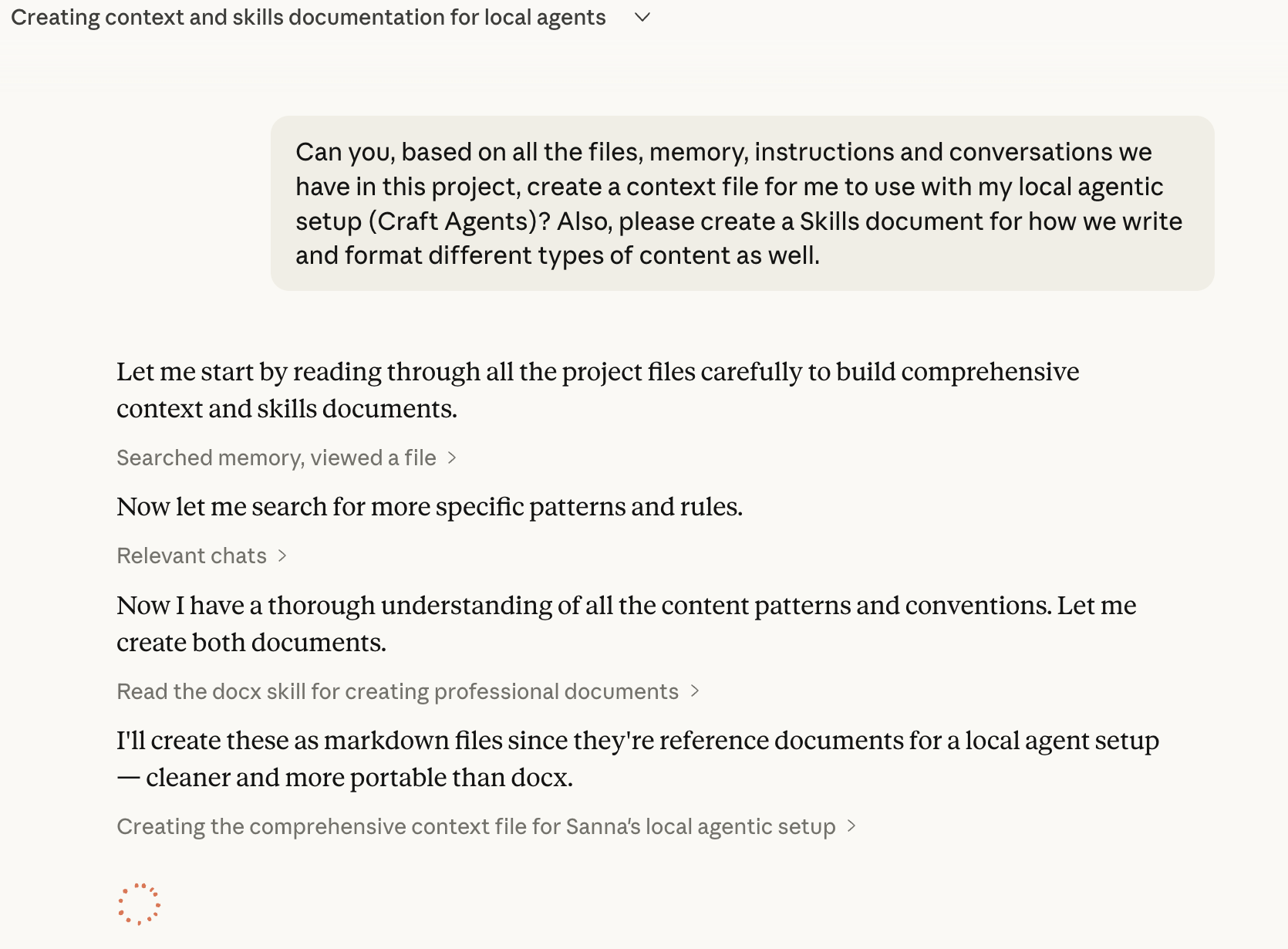
The files included everything I could have thought of and more.
I paste the files in my Obsidian vault, repeat with other projects, and I'm all set.
First test: untangling my task system
My first real test was to sort out the mess I've made of my task management.
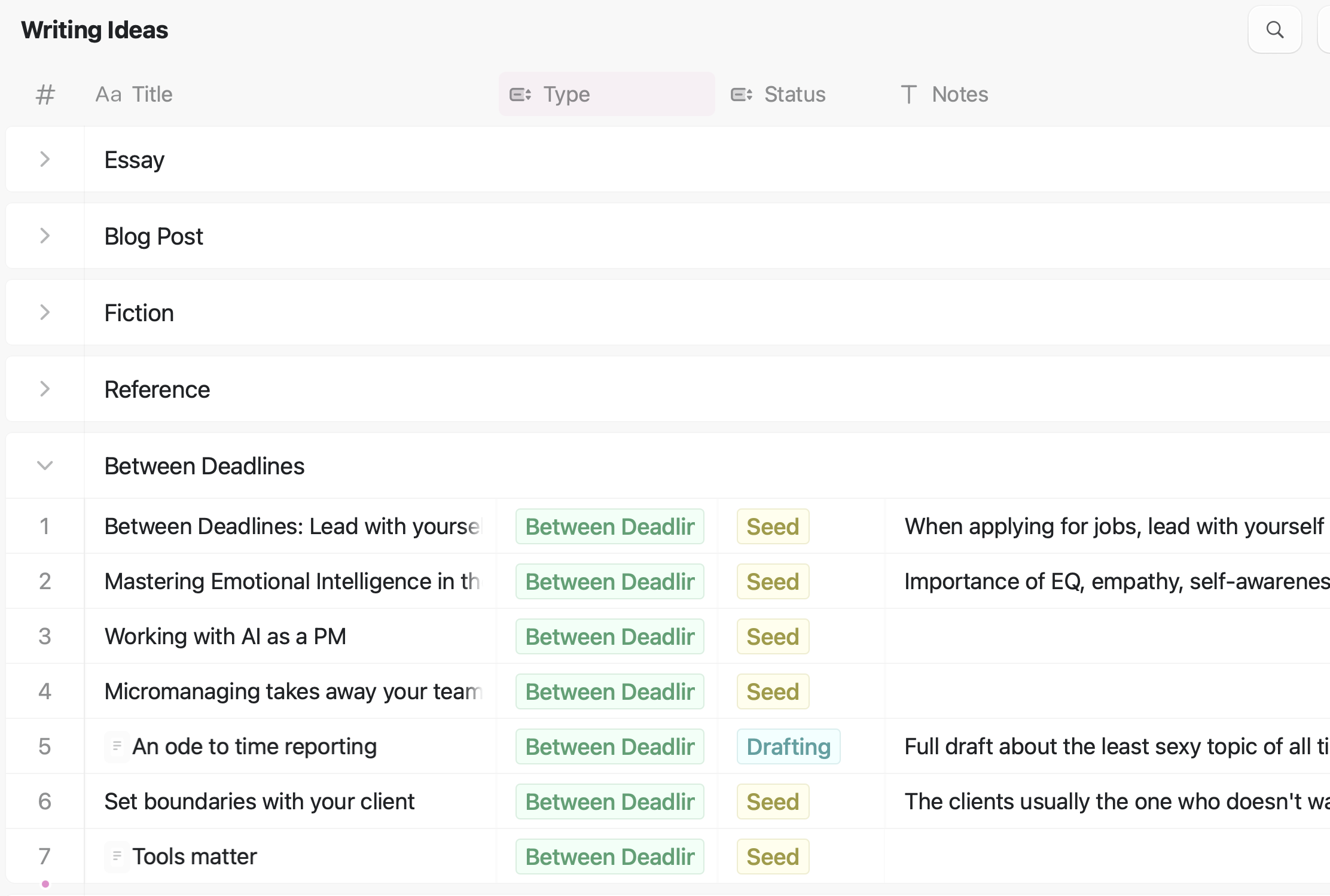
I tried many tools and systems for handling to-dos, but what I return to for personal use is having a weekly note where I add both tasks (organized by client and projects) and notes, kind of a working doc to manage all the little things that come up. Moving it to a new note weekly forces me to do a reality check, but at times I get lazy and my "Week 32" eventually becomes "Week 32-44". I also want a better structure for other tasks that are not urgent, as well as an overview of my writing ideas. All of these have been spread out over multiple pages and platforms, in a desperate attempt to be productive without actually doing any work (don't judge me, I know I'm not alone in this).
What better way than have AI reboot this mess?
I rambled on about what I've found to work best for me, but also asked it for advice on best practice. Below is what it suggested.
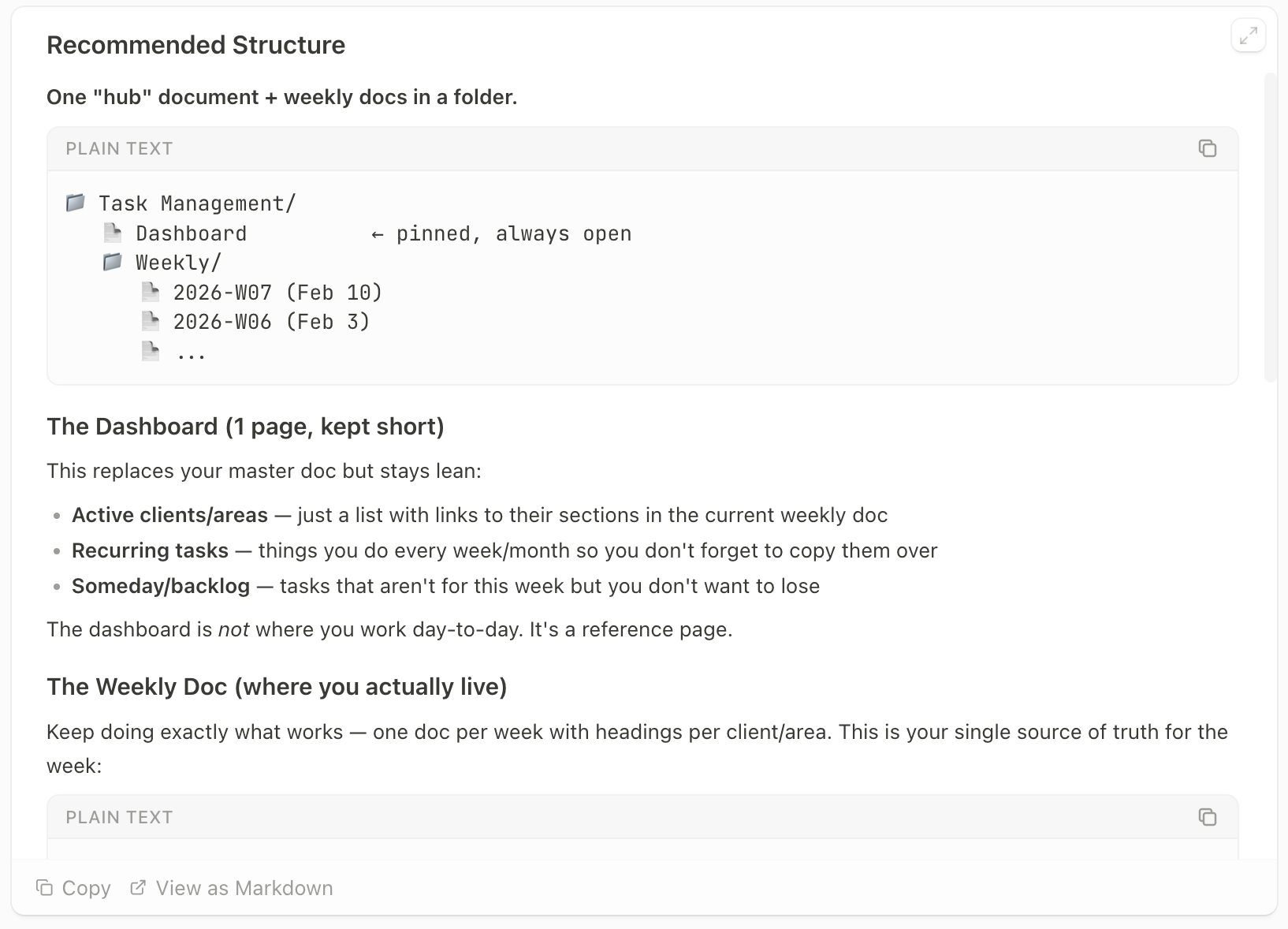
Perfect, please execute, I replied.
A few minutes later I had a rebooted structure I could easily review. Since I also used TickTick for tasks, I created a full export and dumped it into Craft Agents as well. "Please integrate all of this too."
So it did. In less than an hour my messy tasks and drafts were neatly organized. I still had to go through them myself to do finishing touches, but having Claude go Marie Kondo on them first made it a smooth process.
What's next
I am obviously just getting started, but if you're in a similar position, it's time to start experimenting. It's easier than you might expect, and whenever you get stuck, your AI partner of choice is there to help you out.
I'll write a follow-up in a few weeks when I've tested the waters a bit more!
Meanwhile, here's a few things I'm excited to explore:
- Editor skills for different types of writing. I don't use AI to write for me, but I want different feedback depending on what I'm working on. Nuggets, Between Deadlines, essays or fiction all require different feedback.
- A fact-checker skill. Instead of prompting it from scratch every time, I want a reusable workflow that checks sources, flags weak claims, and catches things I've missed.
- Automating my Monday ritual. Have it review my past week and draft me a fresh weekly doc. Imagine a clean slate every Monday.
- Connecting to clients' project management tools. I collaborate with clients on platforms like Linear and Asana, hopefully I can integrate that in my new workflow.
- A client onboarding workflow. Every new client means setting up context files, skills, and project structure. A skill that interviews me about the client and generates everything I need would make my life smoother.
- On the same topic, an off-boarding skill would be useful as well, closing the books, create a retrospective, gather feedback (I always forget this).
If you have ideas or workflows you swear by, please share. I'm ready to dive deep in this rabbit hole! 👀





Member discussion